Talking alarms for iPhone

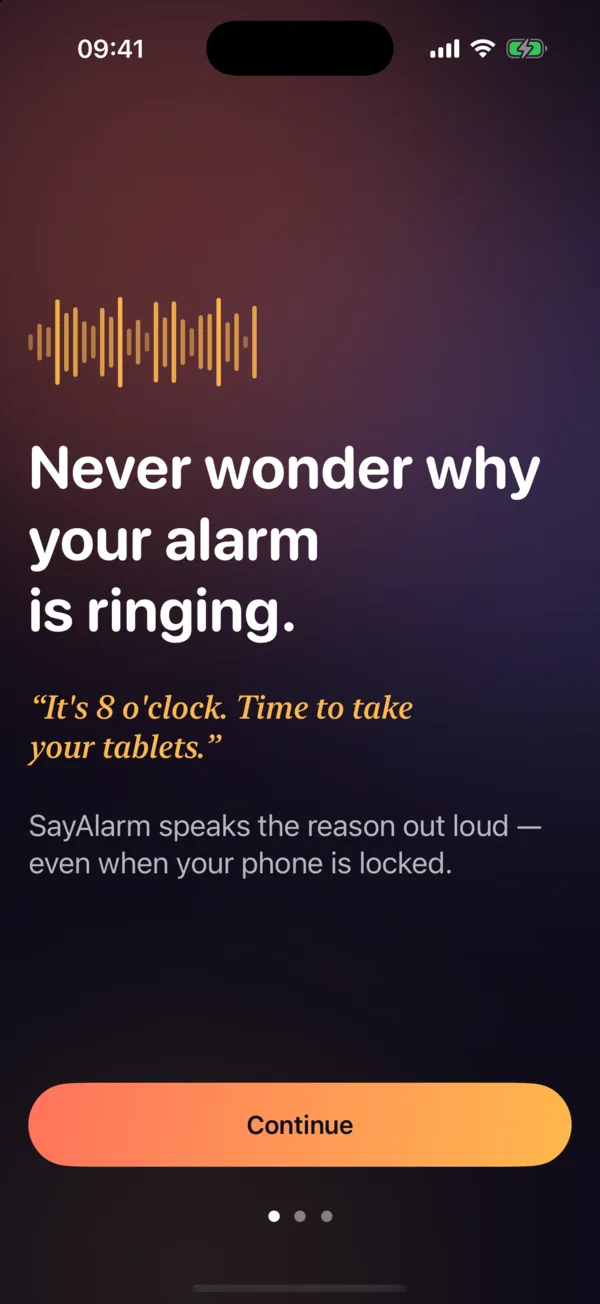
Never wonder why your alarm is ringing.

“It’s 8 o’clock. Time to take your tablets.”

SayAlarm speaks the reason out loud — even when your iPhone is locked, on silent or in Focus. Say your plan once and get a talking alarm for every step.

Coming to the App Store. Free to start · iOS 26+

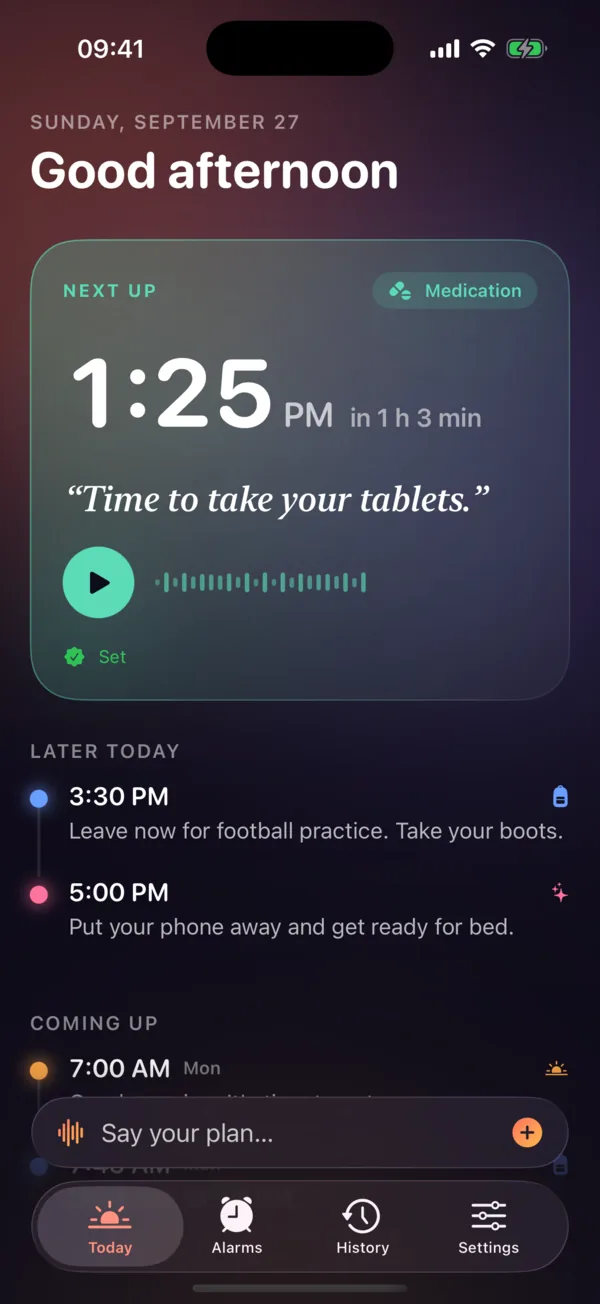
SayAlarm Today screen: next alarm at 1:25 PM will say “Time to take your tablets.”, followed by later alarms for football practice and bedtime.
  • Rings when locked
  • Breaks through Silent & Focus
  • Works offline
  • No account, no ads
  • No subscription

How it works

Say your plan once. Hear every step on time.

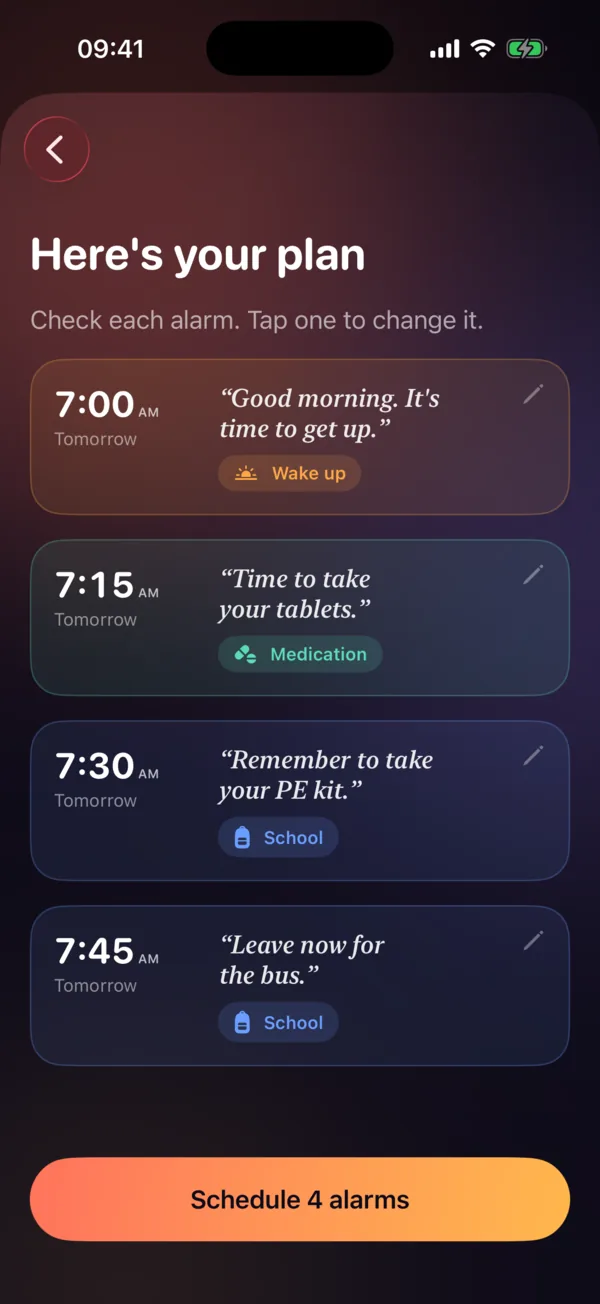
Speak or type your morning like you'd tell a friend. SayAlarm turns it into separate alarms, each with a clear spoken message. You check them, then tap once to schedule.

You say
“Tomorrow, wake me at seven, remind me to take my tablets at 7:15, take my PE kit at 7:30 and leave for the bus at 7:45.”
  1. Good morning. It’s time to get up.Wake up
  2. Time to take your tablets.Medication
  3. Remember to take your PE kit.School
  4. Leave now for the bus.School
SayAlarm plan review screen listing four alarms for tomorrow at 7:00, 7:15, 7:30 and 7:45 AM with a Schedule 4 alarms button.

Features

An alarm that tells you what to do.

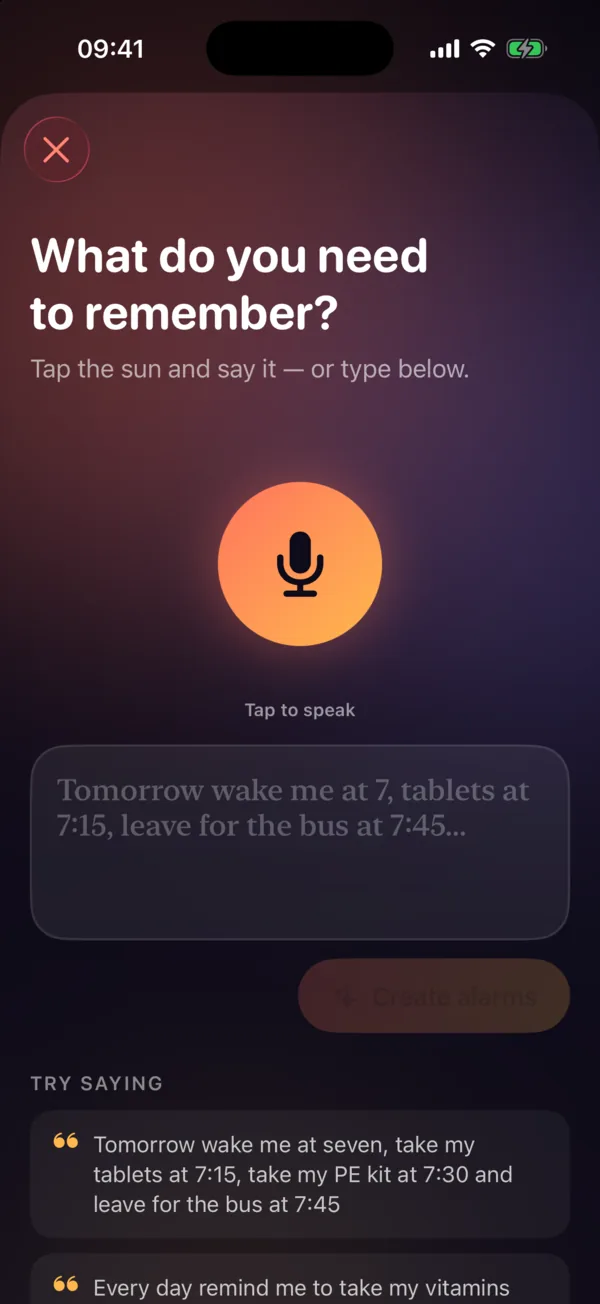
Speak your plan

Tap the sun. Say it. Done.

On-device speech recognition turns natural sentences into alarms — with times like “seven”, “7:15”, “quarter to eight” or “noon”, and days like “tomorrow”, “weekdays” or “every Monday”.

  • Several alarms from one sentence
  • Review and edit everything before it’s scheduled
  • Prefer typing? That works too
SayAlarm composer: “What do you need to remember?” with a large microphone button and example phrases.

Your words, your voice

Hear it before it rings.

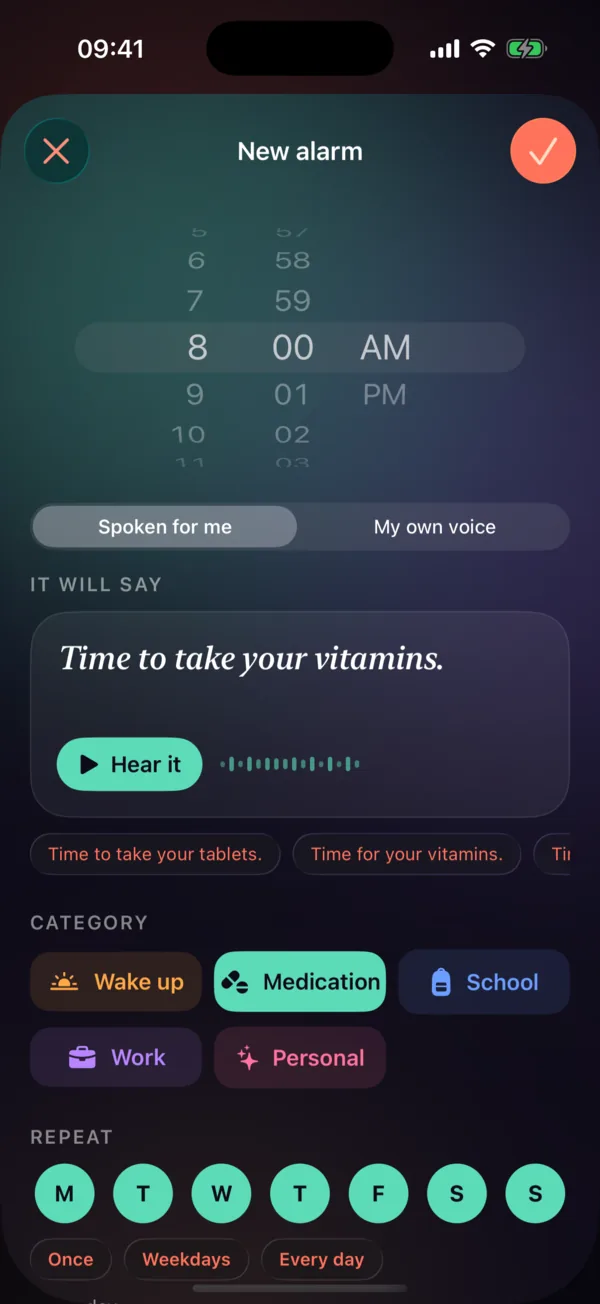
Write the exact message, preview it instantly, pick a voice and speed — or record yourself. A parent’s “Boots and water bottle!” lands differently than a beep.

  • Record up to 25 seconds in your own voice
  • Optional chime before the message
  • Repeat on any days, snooze 1–30 minutes
SayAlarm alarm editor with time picker, Spoken for me or My own voice toggle, message “Time to take your vitamins.” and category and repeat options.

Real iOS alarms

Rings like the Clock app. Talks like a person.

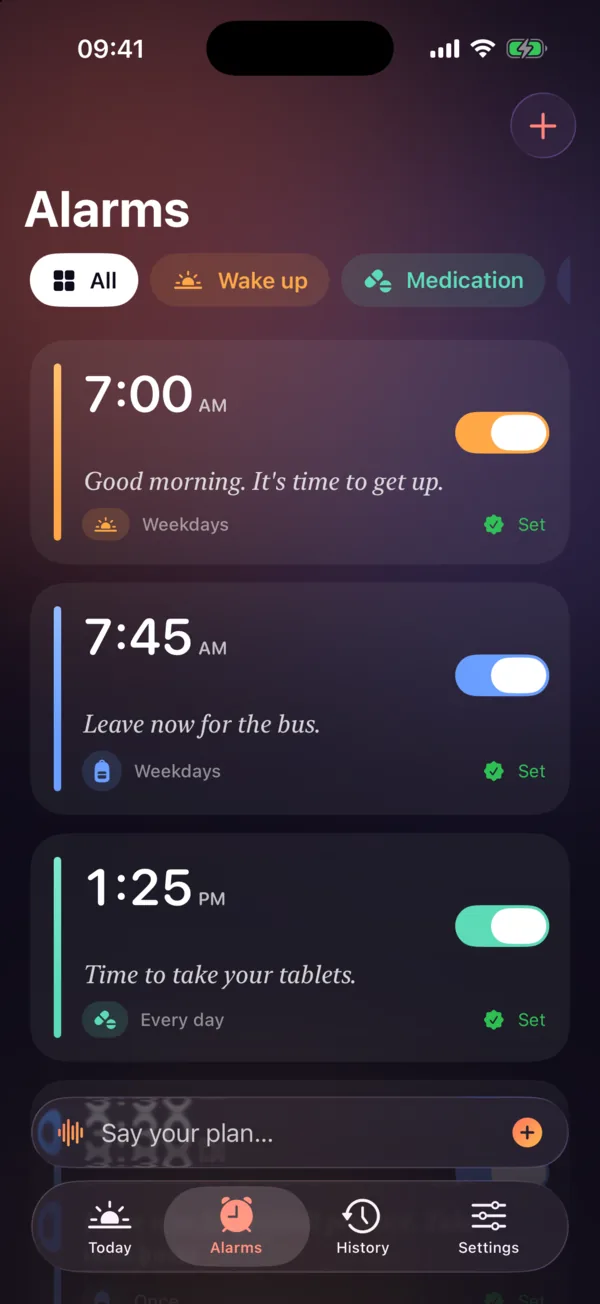
SayAlarm uses Apple’s AlarmKit, so alarms appear on the Lock Screen and in the Dynamic Island, and break through Silent mode and Focus — even if the app is closed.

  • Done, Snooze and Skip-next, right from the alarm
  • Honest status: it only says “Set” when iOS confirmed it
  • Home Screen and Lock Screen widgets
SayAlarm alarms list with color-coded categories, spoken messages and “Set” status on each alarm.

Medication

Taken, Snooze and Skip buttons, a history of every reminder, and a private mode that never says the pill’s name.

It’s time for your reminder.

School mornings

Up, kit, bus — a routine a teenager actually follows, because the alarm says what’s next.

Leave now for the bus.

Shifts & work

Different days, different times. Set a weekly pattern once and skip the odd day off.

Your shift starts in 30 minutes.

ADHD & time blindness

Notifications get ignored. A voice that names the task cuts through and breaks the loop.

Stop scrolling. Start getting ready.

Screenshots

Pricing

Fair and simple. No subscription.

Alarm reliability is never behind a paywall.

Free

$0

Everything you need to try it properly.

  • 5 active speaking alarms
  • Voice planning & templates
  • Own-voice recordings
  • Widgets and history

Lifetime

$9.99 once

Unlimited alarms, forever.

  • Unlimited speaking alarms
  • Family Sharing included
  • All future core updates
  • No ads, ever

Privacy

Your reminders stay on your iPhone.

Medication names and daily routines are personal. SayAlarm has no account and no servers holding your data — it all lives on your device. Read the privacy policy.

  • No account, no analytics, no tracking
  • Spoken audio is created on-device and works offline
  • Private mode hides the message on screen and in speech
  • Delete all data from Settings in one tap

FAQ

Questions, answered.

How is SayAlarm different from the iPhone Clock app?

The Clock app plays a sound. SayAlarm says why it’s ringing — for example “Time to take your tablets” or “Leave now for the bus” — and can create several alarms from one sentence like “wake me at 7, tablets at 7:15, leave at 7:45”.

Will it ring when my iPhone is locked, on silent or in Focus?

Yes. SayAlarm schedules real iOS system alarms using Apple’s AlarmKit, so they ring on the Lock Screen and break through Silent mode and Focus, even when the app is closed.

Does it need an internet connection?

No. Each spoken message is turned into audio on your iPhone when you save the alarm, so nothing needs to download when it rings.

Can I use my own voice?

Yes. Record up to 25 seconds for any alarm, or choose a system voice and speaking speed.

Is it good for medication reminders?

Yes. There’s a medication category with Taken, Snooze and Skip, a history of reminders, and a private mode that only says “It’s time for your reminder.” SayAlarm is a reminder utility and does not give medical advice or dosages.

How much does it cost?

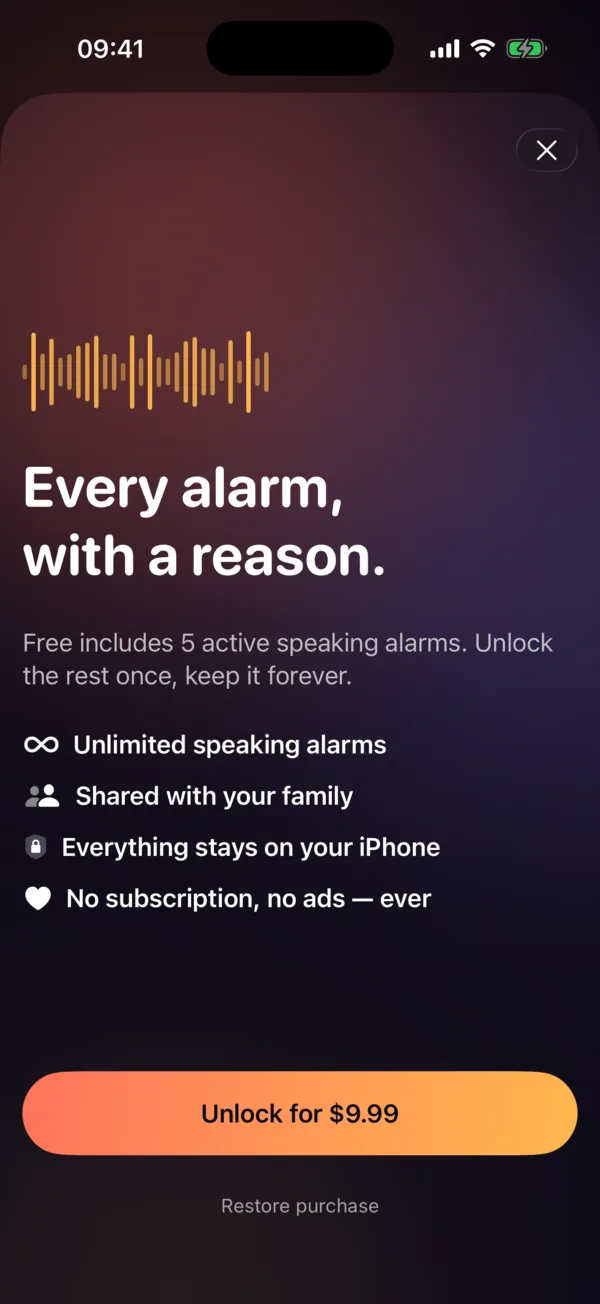
Free for up to 5 active speaking alarms. A one-time $9.99 lifetime unlock removes the limit and works with Family Sharing. No subscription, no ads.

Which iPhones are supported?

iOS 26 or later, because SayAlarm uses Apple’s AlarmKit for system-level alarms.

Is my data private?

Your alarms, recordings and history stay on your iPhone. There is no account, no analytics and no tracking.

Be first to hear it.

SayAlarm is in beta on TestFlight. Email us and we’ll send you an invite — and a heads-up on App Store launch day.

Or write to hello@sayalarm.app